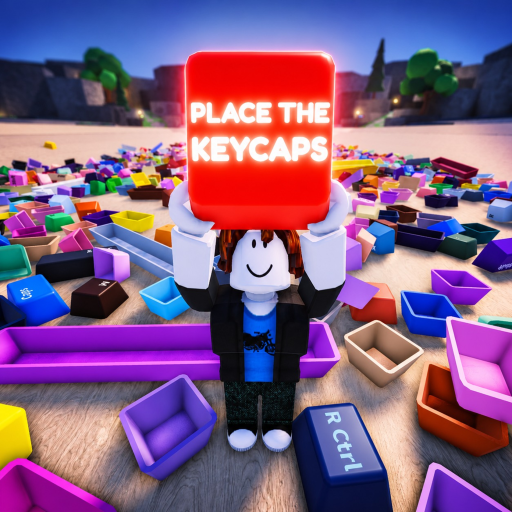
Place the Keycaps Stuck Keycap Recovery
Recover from stuck keycaps in Place the Keycaps with safe Roblox input resets, board inspection, controlled throws, and evidence-based bug checks.
Confirm whether the cap is actually stuck
A stuck cap in Place the Keycaps can mean several things: the piece is blocked by another object, the cursor is locked, the server has not registered an interaction, or the cap is simply not the one that belongs in the visible slot. Start with the official Roblox page so you know the valid controls. Q throws keycaps, Ctrl unlocks the mouse, and the game is beta.
Use a short recovery loop before leaving the server. Step away from the pile, press Ctrl if the cursor is trapped, re-approach the cap, and attempt a clean pickup or placement. If the cap blocks other pieces, use Q once to move it to a known side area. Do not spam throw; scattered caps create a larger problem.
| Symptom | First recovery action |
|---|---|
| Cursor stuck | Press Ctrl and click back into the game |
| Cap blocks the pile | Use one controlled Q throw to a side zone |
| Slot rejects the cap | Compare legend, row and cap size again |
| Counter does not move | Wait, inspect slot seating and retry once |
| Repeated failure | Record server/device details for beta feedback |
Use video evidence as a sanity check
The one-hour gameplay video shows a visible board, loose caps, held-cap tray and progress counter. Use that kind of visible state as your reference: is the cap seated, hovering, hidden under a large piece, or still in the held area? The gameplay transcript supports that first-time players may need to learn the interaction loop rather than assume a cap is broken.
If a cap is not selectable, move nearby objects first. If a cap is accepted but later looks wrong, inspect neighboring legends before pulling apart the whole row. A beta bug is plausible, but the recovery path should rule out ordinary placement errors.
When to reset or report
Reset the server only after the board inspection fails. If one cap remains missing, search thrown zones and under large anchors. If several caps are desynced, a fresh server may be faster. A useful report names the exact place ID 103060898621269, device type, server crowding, last keycap moved and whether Ctrl and Q recovery were tried.
Stuck-keycap FAQ
Does Q fix every stuck cap?
No. Q can clear obstructions, but it can also scatter important pieces if overused.
Should I remove solved rows?
No. Keep solved anchors in place while checking the exact empty slot.
Is the game still changing?
Yes. The official page labels the experience beta.
What should I record for a bug?
Record the board state, cap legend, device, server and last successful placement.
Separate selection problems from placement problems. A selection problem means the cap cannot be grabbed or the cursor state feels wrong. Try Ctrl, move the camera, and approach from another side. A placement problem means the cap is grabbed but the board does not accept it. Compare the target slot, row, width and neighboring legends before forcing it. A visibility problem means the cap may be under another object; use one controlled Q throw to expose the area.
If the same cap fails three times, stop interacting and preserve the evidence. Note the legend, location, device and current server crowding. Check whether other caps still place normally. If they do, the issue may be a specific slot or object state. If none do, the client or server may need a reset. This is more useful than repeatedly scattering the pile and losing the original failure condition.
When reporting a beta issue, keep the message player-focused: exact place, what cap looked stuck, what slot was involved, what recovery inputs were tried and whether the board counter changed. Do not include private account data or unrelated browser information. The developer needs reproducible gameplay facts, not a complete personal setup.
After recovery, rebuild confidence with nearby evidence. Compare the cap legend to adjacent board labels, check whether its width matches the gap, and place it only when the surrounding row makes sense. If the cap was moved with Q, return to the exact side zone and verify no other important piece was displaced. A stuck-keycap fix is successful only when the board remains easier to inspect than it was before the recovery attempt.
If recovery exposes more than one uncertain cap, sort them by confidence. Place the cap with the clearest matching slot first, leave ambiguous symbols in staging, and recheck the board after each accepted placement. This keeps the fix incremental and makes any repeated failure easier to isolate.