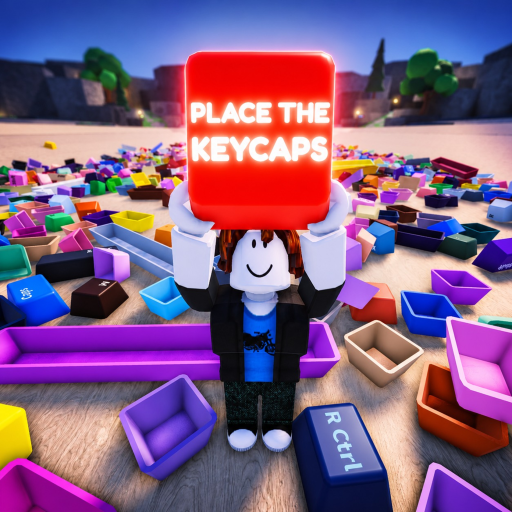
Place the Keycaps First Run Checklist
On the first run, verify the exact beta server, learn the device controls, capture the 0/58 board, sort one obvious cap, and confirm that both the slot and counter update before attempting the full pile.
First Run Checklist: direct answer
On the first run, verify the exact beta server, learn the device controls, capture the 0/58 board, sort one obvious cap, and confirm that both the slot and counter update before attempting the full pile.
Sources reviewed: Place the Keycaps - Roblox and Roblox Games API and Place the Keycaps - 1 Hour Gameplay.
First Run Checklist: verified facts
| Fact | Evidence status |
|---|---|
| 25 | Verified source term |
| 58 | Verified source term |
| Q | Verified source term |
| Ctrl | Verified source term |
| SHOP | Verified source term |
| POWERS | Verified source term |
First Run Checklist: player workflow
Join and identify the build
Open the official experience and confirm the creator group. The Games API currently reports a 25-player maximum, but live server population and update text are snapshots. Read the current in-game notice before relying on an older screenshot, especially while the title carries a SOUNDS update label and beta warning.
Learn the controls without risking progress
On desktop, Ctrl releases the mouse and Q throws a held cap. Practice both before picking an important cap. On mobile, the reviewed recording shows a left movement pad, a right jump button, a center selection cursor, Shop and Powers buttons, a held tray, and a cycle control. Use the touch prompts shown by the live build; the silent recording cannot name every icon.
Capture the empty-board reference
Take one screenshot containing the pile, board, and 0 / 58 counter. Walk around the board and note wide modifier slots, standard letter slots, and any edge shapes. This is not a complete keyboard-layout claim; it is a visual map for finding what changed after each accepted placement.
Complete one controlled placement
Pick a cap with an easy-to-read legend and distinctive size. Confirm the selection outline and held-tray label, move to the matching open position, and place it. Check that the slot fills and the counter advances. If only one changes, pause and inspect rather than continuing through the pile.
Start the repeatable route
Sort obvious caps in small board regions, keep uncertain shapes together, and screenshot milestones. Save Shop or Powers experiments until the base sorting loop is understood; neither button is evidence of a code feature. A good first session ends with a repeatable placement process, not necessarily 58/58.
First Run Checklist: verification checklist
- Confirm root place 103060898621269 and creator KEYBOARDS!!!!! on the join page.
- Read the beta description and any new live update notice before following an older guide.
- On desktop, test Ctrl with empty hands and test Q only where a thrown cap can be recovered.
- On mobile, identify movement, jump, selection, cycle, held tray, Shop, and Powers controls visually.
- Capture the starting board and 0/58 counter before touching the pile.
- Walk around the board once to recognize standard and wide slot shapes.
- Choose one readable cap, verify its selection outline, and inspect the held legend.
- Place it into the matching shape and confirm the board and counter change together.
- Create a separate unresolved group for ambiguous colors or widths.
- End the first session with a screenshot and one written failure cause for the next run.
- Avoid buying or activating extras until the base selection, placement, and counter loop is understood.
- Use an obvious cap for the first test rather than a color-only match with several candidate slots.
- If the first placement fails, inspect whether the cap dropped on the floor before restarting the server.
- If the counter advances, repeat the same physical process on a neighboring readable cap.
- Record the server time and device if the same obvious placement fails twice in a fresh session.
Add a server check before committing to a long route. If several players are throwing pieces through the same pile, join a calmer server or choose one row to own. The official 25-player limit makes cooperation possible, but quiet space is easier for a first completion.
Before ending the first run, write one sentence about what failed or worked: device, server crowding, final missing slot and whether the badge appeared. That note makes the second attempt faster because you are testing one concrete issue, not replaying the whole puzzle from memory.