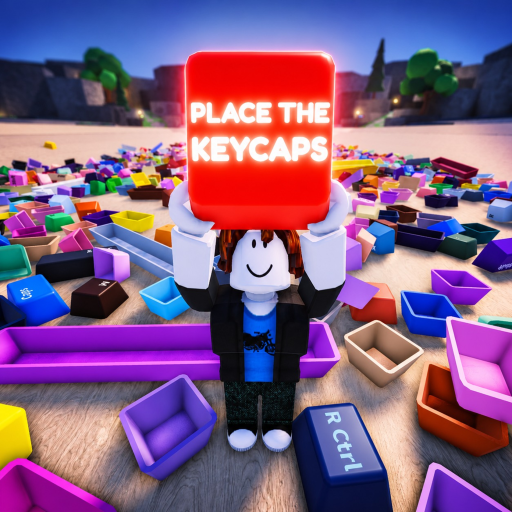
Place the Keycaps Layout Checklist and Missing-Key Method
A keyboard-layout checklist for Place the Keycaps that helps players sort by row, isolate uncertain keys, find the final gap, and verify completion safely.
Use a layout checklist, not an invented item database
The official objective is to sort a pile of keycaps into a complete keyboard collection. Public first-party sources do not currently publish a definitive per-key item table, rarity tier list, spawn probability or trade value. A trustworthy checklist therefore focuses on keyboard structure and observable gaps rather than pretending the beta has a fixed loot database.
The official Roblox listing confirms the title, beta state, sorting objective, Q throw control and Ctrl mouse-unlock control. The Roblox universe API independently exposes the same description for universe 10388509406 and root place 103060898621269.
Track the layout in clusters:
| Cluster | Typical legends to check | Useful anchors |
|---|---|---|
| Top/function | Esc, F-row and system keys shown by the live board | Esc and gaps between groups |
| Number row | Digits, Backspace and punctuation | Backspace and row length |
| Upper letters | Tab and QWERTY row | Tab and bracket area |
| Home letters | Caps Lock, ASDF row and Enter | Caps Lock and Enter |
| Lower letters | Shift, ZXCV row and punctuation | Left/right Shift |
| Bottom row | Ctrl, Alt, Space and other modifiers | Spacebar |
| Side clusters | Navigation, arrows or numpad if present | Distinct block boundaries |
Only mark a key as required if its position exists on the live keyboard. Layouts differ, and the game can change during beta.
Sort anchors before small punctuation
Large keycaps establish row boundaries. Place Spacebar, Enter, Backspace, Shift, Tab and Caps Lock first when they are visible. Next complete the letter rows, then the number row, then punctuation and side clusters. This order reduces ambiguity because a small punctuation cap has fewer plausible gaps once the surrounding letters and modifiers are fixed.
Create three workspace zones: confirmed, uncertain and obstruction. Confirmed pieces go directly to the keyboard. Uncertain pieces remain together near the pile for later comparison. Obstructions can be moved with Q to a consistent side. Never mix uncertain keys with thrown clutter; that creates a second unsorted pile.
If multiple players are working, divide by cluster rather than grabbing from the same pile randomly. One player can handle letters, another modifiers, another number/function keys, and a fourth inspect the side blocks. Announce completed clusters so nobody removes a correctly placed cap to “help.”
Find the final gap from the keyboard outward
When progress slows, inspect the board before the pile. Scan each row left to right and name every empty position. If there is one empty slot, search only for that legend. If there are two similar gaps, compare the surrounding keys and cap widths. Wide modifiers are easier to distinguish by size; small punctuation may require checking its printed symbol carefully.
Search locations in this order:
- Under or behind large caps in the original pile.
- The uncertain staging zone.
- The consistent Q-throw zone.
- Edges of the keyboard and nearby floor.
- Another player’s active cluster, after asking.
- A fresh quieter server if the object appears missing or stuck.
Do not use a badge percentage as a keycap rarity claim. The official Badges API lists Sorted All Keycaps, but its award counts and rarity calculation reflect player completion behavior, server state and time—not the rarity of an individual cap.
Verify completion and report beta problems
Completion has a first-party signal: the Sorted All Keycaps badge says “You have sorted every keycap!” After filling the visible board, allow a moment for the server to process placements. Check for a subtle empty position and confirm that no cap is hovering beside rather than seated in its slot.
If the badge fails, use Ctrl to unlock the mouse, step away, inspect the board again and try interacting with the last placements. If necessary, rejoin. For a useful bug report, capture the server time, visible completed layout, missing badge state, device type and the last key placed. The game explicitly asks for feedback, so reproducible details are more valuable than “it did not work.”
When an update changes the board, rebuild the checklist from visible positions instead of copying an old keyboard diagram. Count rows and side clusters, note any newly shaped modifier, and verify that every listed position exists. This avoids forcing a full-size desktop assumption onto a compact or event-specific layout.
A small video showing how to join the Place the Keycaps Discord identifies the official community path visible from the Roblox page. Use community channels for current bug reporting or developer announcements, but do not treat every user message as a confirmed layout change.
Checklist questions answered
Is this a list of every cap in the beta?
No first-party fixed item database was available in the reviewed sources. The checklist follows the live keyboard’s visible rows and clusters, which is safer during beta updates.
What should I place first?
Large anchors such as Spacebar, Enter, Backspace, Shift, Tab and Caps Lock, followed by letter rows and then small punctuation.
Does the completion badge prove individual rarity?
No. It proves a player completed the collection. Badge rarity is an aggregate completion metric that changes over time.
Where should uncertain keys go?
Keep them in a dedicated staging zone close to the board, separate from pieces thrown out of the way with Q.
Reset that staging zone after each completed cluster so old uncertainty does not accumulate. If two caps still seem interchangeable, compare their width, printed legend and the empty positions around them rather than forcing either placement. Precise comparison is faster than repeatedly removing already confirmed rows from the board.