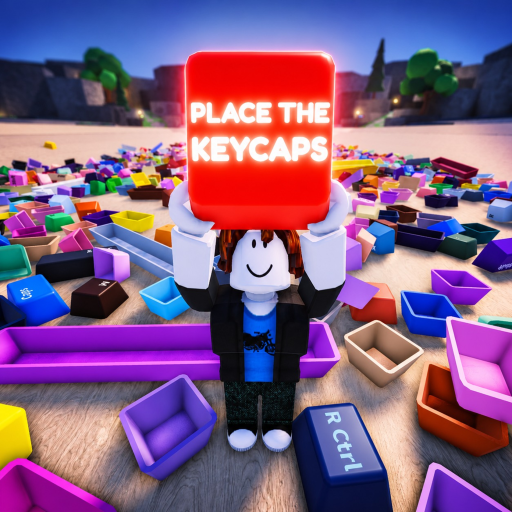
Place the Keycaps Beginner Guide: Sort the First Keyboard
A careful beginner guide to Place the Keycaps using the official controls, beta status, collection objective, server facts, and completion badge.
Start from the verified objective and controls
Place the Keycaps is a Roblox beta about sorting a pile of loose keycaps to complete a keyboard collection. The official description exposes two controls: press Q to throw keycaps and Ctrl to unlock the mouse. It also warns that the game is in beta and asks players to expect bugs and tweaks. Those few lines are more useful than invented rarity tables or speculative code lists because they define the real task and the interactions available to every player.
Open the official Place the Keycaps Roblox page, confirm the creator group is KEYBOARDS!!!!!, and join the root place rather than a similarly named keycap game. The official Roblox Games API response confirms universe 10388509406, root place 103060898621269, a server size of 25, the June 24, 2026 creation date, and the same beta description and controls.
| Verified fact | How it affects play |
|---|---|
| Sort a pile to complete a keyboard collection | Progress depends on correct placement, not currency grinding |
| Q throws keycaps | Use it to clear or reposition, not to scatter solved pieces |
| Ctrl unlocks the mouse | Recover cursor access when the camera/input state is inconvenient |
| Beta status | Treat layout, sounds and counts as update-sensitive |
| 25-player server limit | Crowded servers can create interference; a quieter server may be easier |
Sort by a fixed reference point
Begin at one edge or corner of the keyboard and work in a consistent direction. The exact pile order can vary, but the strategy should not. Identify a keycap by its printed legend and likely row, locate the matching empty position, place it, then move to the next nearby gap. Do not alternate randomly between the number row, letters, modifiers and navigation cluster; constant context switching makes duplicates and missing positions harder to detect.
Use broad groups:
- Escape and function row.
- Number row and punctuation.
- QWERTY letter rows.
- Modifiers such as Tab, Caps Lock, Shift, Ctrl and Alt.
- Spacebar and bottom row.
- Navigation, arrows or numpad if present in the current layout.
Large or distinctive keys are good anchors. Once Shift, Enter, Backspace and Spacebar are placed, the remaining neighboring gaps become easier to reason about. If the game accepts a placement, leave it alone unless the layout clearly proves it wrong.
Use throw as a controlled workspace tool
Q is officially documented as “throw keycaps.” That does not mean every unwanted cap should be launched across the room. Throw only to remove an obstruction, separate a duplicate-looking piece, or move a cap away from a completed section. Choose a consistent discard or staging side so thrown pieces remain searchable.
In a populated server, avoid throwing toward another player’s active workspace. A busy 25-player session can mix piles and make the last missing key harder to trace. If the current server is chaotic or input feels inconsistent, rejoin a quieter server before spending a long session on the final few positions.
Ctrl unlocks the mouse; use it when a UI element, camera state or cursor restriction blocks precise interaction. Because the game is in beta, an input issue may be a temporary bug. Try unlock, step away from the pile, and re-approach before assuming a keycap is permanently stuck.
Diagnose the last missing keycap
The final stage is a search problem. Stop looking at the pile first and inspect the keyboard for empty positions. Name the missing legend, then search the pile in a grid pattern. Check behind large caps and around the staging area. Review any pieces thrown earlier. Ask nearby players before moving their items.
The official badge inventory includes Sorted All Keycaps with the description “You have sorted every keycap!” The Roblox Badges API provides a first-party completion signal. Badge rarity and award counts change over time, so the existence and description are stable evidence; a percentage captured on one day is not a permanent difficulty rating.
If every visible slot is filled but the badge does not award, wait for the current placement to register, check for a hidden empty slot, and try a clean server. Record the layout and problem before reporting a beta bug so the developer receives something reproducible.
For repeated attempts, keep a small completion log: server size, device, whether the board began partially solved, the last three caps placed and whether the badge appeared. That distinguishes a one-off network delay from a layout or input bug. It also prevents community advice from becoming folklore: a method should be repeatable on the current beta, not merely successful once on an older build.
Beginner questions answered
What is the objective?
Sort loose keycaps into their correct positions until the keyboard collection is complete. The official completion badge is named Sorted All Keycaps.
What does Q do?
It throws keycaps. Use it sparingly to clear the workspace or stage uncertain pieces without disrupting solved rows.
How do I unlock the cursor?
Press Ctrl, as stated in the official game description.
Is there a confirmed rarity system?
The reviewed official page and API do not document collectible rarity tiers. Do not infer rarity from badge percentage, visual color or another keycap game.
Why might the guide change?
The experience is explicitly in beta and has already advertised sounds and tweaks. Verify live controls and layout after updates.
Use the official root place as the reference whenever a search result disagrees. That identity check prevents guides for similarly named Roblox experiences from contaminating the route.
For a clean first completion attempt, treat the keyboard like a solved-board puzzle rather than a loot chase. Start by joining from the official Roblox page, then spend the first minute identifying the visible board boundaries before moving any loose pieces. The gameplay transcripts show that new players can enter without immediately knowing the task, so the first useful action is orientation: find the board, locate the loose pile, note whether the counter is visible, and test Q and Ctrl before sorting important pieces. This keeps the opening route stable even when the beta changes sounds, lighting or crowd behavior. The safest route is to solve in passes. On pass one, place only unmistakable anchors such as Spacebar, Shift, Enter, Backspace, Tab and Ctrl. On pass two, complete letter rows by neighboring legends. On pass three, handle punctuation, small keys and any side cluster that remains. If the one-hour gameplay recording shows a held-cap tray on your device, use it as a staging readout; if the desktop client shows keyboard prompts instead, use the official Q and Ctrl controls as your recovery tools. Do not measure success by speed on the first run. A beta server with up to 25 players can turn a simple board into a shared workspace, and a rushed throw can hide the final cap under the pile or near another player. Progress is confirmed by filled board positions and, eventually, the Sorted All Keycaps badge. If the badge does not appear, inspect for a real empty slot before assuming a bug. That order gives you a repeatable player answer instead of a random scavenger hunt.
A final practical habit is to pause after every completed cluster. Look at the board, name the next cluster, and decide whether Q or Ctrl is actually needed before touching the pile again. This small pause prevents most beginner errors: throwing a needed cap, moving a solved anchor, overlooking a nearby empty slot, or treating a momentary beta delay as a broken run. The verified sources are narrow, so the best beginner guide is narrow in the right way: it gives a repeatable sorting method, identifies the exact Roblox experience, and refuses to fill gaps with unsupported rarity, code or speedrun claims.
Before claiming a run is complete, make one deliberate final sweep. Start at the upper-left visible slot, move row by row, and say the expected legend for every filled position. This verbal or mental scan catches a swapped punctuation key faster than searching the whole pile again. If the board and badge disagree, preserve the board state and use the troubleshooting pages rather than inventing a hidden requirement.