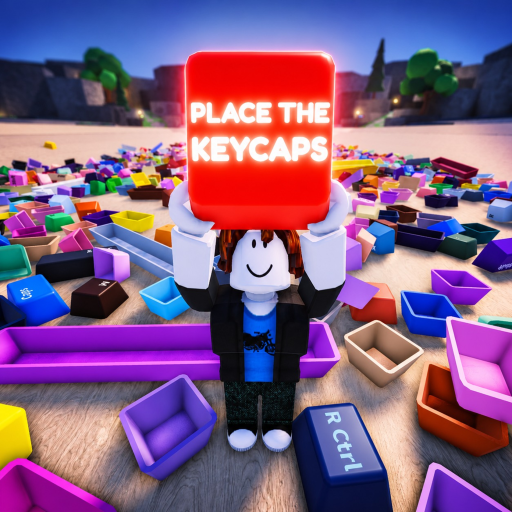
Place the Keycaps Collection Progress
Track progress with both the top-right x/58 counter and the physical board; a counter increase confirms accepted progress, while the Sorted All Keycaps badge is the first-party completion signal.
Collection Progress: direct answer
Track progress with both the top-right x/58 counter and the physical board; a counter increase confirms accepted progress, while the Sorted All Keycaps badge is the first-party completion signal.
Sources reviewed: Place the Keycaps - 1 Hour Gameplay and Roblox Badges API and Place the Keycaps - Roblox.
Collection Progress: verified facts
| Fact | Evidence status |
|---|---|
| 0 / 58 | Verified source term |
| 1 / 58 | Verified source term |
| 58-slot | Verified source term |
| held tray | Verified source term |
| Sorted All Keycaps | Verified source term |
Collection Progress: player workflow
Establish a reliable baseline
At the reviewed 00:30 frame, the mobile recording shows 0 / 58, the loose pile, the keyboard board, and a bottom held-cap tray. Before sorting, take a screenshot of the counter and the empty board. This gives you a recovery reference if a cap disappears into the pile or the beta build fails to update immediately.
Sort in visible batches
Work across one board region at a time: letters, number-row shapes, modifiers, or larger edge keys. Read the legend in the held tray, compare the physical size and color with open slots, then approach the target and confirm the selection outline. After placement, look for both a filled board position and a higher counter. The reviewed video reaches 1 / 58 around 20:00, demonstrating that the counter is a progress indicator, not just decorative text.
Keep uncertain caps in a separate visual area rather than throwing them randomly. Q is useful for discarding a bad hold on desktop, but repeated throws can bury a cap and make the late run harder. On mobile, use the visible cycle/selection controls and held tray; the video does not prove a Q-equivalent binding, so follow the live touch prompts.
Recover when the count stalls
If the board looks changed but x/58 does not move, re-read the legend, compare the slot size, and check whether the cap merely landed near the board. Rejoin only after taking screenshots, because a beta-server issue and a wrong placement need different fixes. Near the end, compare every empty board shape against the remaining pile rather than rescanning all 58 from memory.
Confirm completion
The official badge inventory names Sorted All Keycaps and describes sorting every keycap. Check the in-game counter and board first, then the Roblox badge award. Badge statistics are aggregate and can lag; they do not identify which cap is missing. Your own 58/58 board state is the actionable completion check.
Collection Progress: verification checklist
- Capture the empty board, pile, held tray, and 0/58 counter in one starting screenshot.
- Choose one board region and identify its most readable legends before picking caps up.
- Confirm the selection outline so a nearby cap is not mistaken for the held object.
- Read the held-tray legend and compare physical width before using color as a tiebreaker.
- After placement, require both a filled position and a higher x/58 counter.
- Move uncertain caps into a separate visible group rather than throwing them into the pile.
- Take milestone screenshots so a stall can be traced to the last small batch.
- At 50/58, switch to listing empty board shapes before searching the remaining pile.
- At 58/58, wait for the Sorted All Keycaps badge notification and server synchronization.
- If the badge lags, preserve the completed board screenshot instead of resetting the run.
- If a rejoin changes the board, compare the newest state with the last milestone before moving another cap.
- Report repeatable save or counter loss with the smallest affected batch and device type.
- Keep the unresolved group away from the original pile so the next search starts from fewer candidates.
For a second attempt, record the counter state before and after each cluster. The gameplay evidence supports counter-based progress checks, but it does not identify every accepted cap by name. Use the counter to detect registration, then use visible slots to decide what remains.
A useful progress note names the evidence type. "Counter increased after the cap seated" is stronger than "the run felt complete." "Sorted All Keycaps appeared" is stronger than a community percentage claim. Use those labels so a later update can compare the same kind of observation.