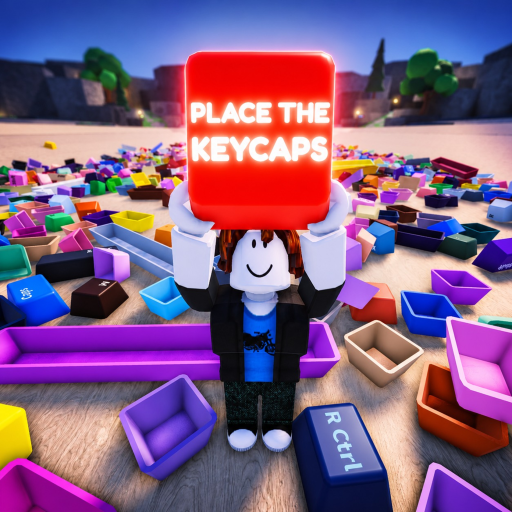
Codes Place the Keycaps : statut vérifié actuel
Le statut actuel, fondé sur des preuves, des codes de Place the Keycaps, où vérifier les annonces et comment éviter les codes copiés d’un autre jeu Roblox sur les keycaps.
Aucun code public n’est actuellement vérifié
La page Roblox officielle examinée et la Games API décrivent le tri des keycaps, la commande Q pour lancer, le déverrouillage de la souris avec Ctrl, les retours de la bêta ainsi que les statistiques du créateur et de la plateforme. Elles ne publient ni code d’échange, ni bouton de code, ni récompense liée à un code. Le statut actuel responsable est donc le suivant : aucun code public Place the Keycaps n’a été vérifié à partir de preuves de première main.
Cela ne prouve pas que le jeu ne pourra jamais ajouter de codes. Cela signifie qu’un guide ne doit pas copier des chaînes provenant des résultats de recherche pour Collect a Keycap, des jeux d’évasion sur clavier ou des produits de clavier mécanique sans rapport. Les résultats de recherche confondent déjà ces titres avec Place the Keycaps ; l’identité exacte est donc essentielle.
Vérifiez l’expérience à l’aide de la page officielle du jeu Roblox et de la Roblox Games API :
| Champ d’identité | Valeur vérifiée |
|---|---|
| ID du root place | 103060898621269 |
| ID de l’univers | 10388509406 |
| Groupe créateur | KEYBOARDS!!!!! |
| Objectif officiel | Trier une pile de keycaps pour terminer le clavier |
| Commandes officielles | Q pour lancer ; Ctrl pour déverrouiller la souris |
| Code vérifié actuel | Aucun dans les sources de première main examinées |
Ce qui compterait comme un code confirmé
Un futur code devrait satisfaire au moins deux vérifications. Premièrement, il doit provenir d’un support contrôlé par le développeur : la description du jeu, le groupe officiel, une annonce officielle de la communauté ou un journal de mise à jour en jeu. Deuxièmement, le client en direct doit proposer un chemin d’échange et accepter la chaîne exacte sur un compte joueur normal.
Consignez ces détails lorsqu’un code apparaît :
- La casse et la ponctuation exactes.
- L’URL et la date de l’annonce.
- Le chemin du menu ou du bouton vers le champ de code.
- La récompense affichée après l’échange.
- La formulation de l’expiration, le cas échéant.
- La date et la version du client du dernier test.
Une capture d’écran d’une chaîne de code sans l’identité exacte du jeu est insuffisante. Un code de test réservé aux créateurs n’est pas un code public. Un utilisateur Discord qui devine des récompenses de jalon n’est pas une annonce confirmée.
Où vérifier sans suivre de fausses listes
Commencez sur la page Roblox et examinez la description après les mises à jour. Suivez le groupe créateur plutôt qu’un compte avec un nom d’affichage similaire. La page du jeu peut afficher un lien vers la communauté lorsque l’expérience et le compte respectent les règles de visibilité de Roblox. Une courte vidéo d’accès au Discord de Place the Keycaps montre le chemin du lien communautaire depuis la bonne page du jeu.
L’accès à la communauté est une source de découverte, pas une preuve automatique. Confirmez qu’un message se trouve dans un canal d’annonces contrôlé par le développeur. Si un code est republié ailleurs, remontez jusqu’au message d’origine et testez-le dans le champ de code en direct. N’installez jamais d’extension, n’exécutez pas de script, ne collez pas de cookies de navigateur et n’effectuez pas de « vérification » externe pour obtenir un code Roblox.
L’endpoint officiel des badges documente actuellement l’achèvement via le badge Sorted All Keycaps. Il n’expose pas de récompense par code. La progression des badges et les codes sont deux systèmes distincts.
Utilisez un relevé de vérification pour les futures mises à jour :
| Champ | Preuve requise |
|---|---|
| Chaîne du code | Copiée depuis l’annonce d’origine contrôlée par le développeur |
| Chemin d’échange | Capture d’écran ou chemin écrit depuis le client normal en direct |
| Récompense | Confirmation dans le client ou changement observable de solde ou d’objet |
| Date du test | Horodatage et état du serveur ou du client |
| Statut | Fonctionne, expiré, réservé aux créateurs ou non vérifié |
Gardez « non vérifié » séparé de « expiré ». Un code expiré a été confirmé à un moment donné puis a cessé de fonctionner. Une chaîne non vérifiée n’a jamais passé les contrôles de preuve pour cet univers précis. Mélanger ces états crée de fausses listes historiques et fait perdre du temps aux joueurs avec des codes qui appartenaient à un autre jeu.
Dépannez seulement après l’existence d’un vrai champ d’échange
Si un futur client ajoute un champ de code, copiez la chaîne au lieu de la retaper. Supprimez les espaces au début et à la fin, respectez la casse et rejoignez un nouveau serveur après une mise à jour tout juste publiée. Vérifiez si la récompense a déjà été réclamée sur le compte. Si l’interface indique invalide ou expiré, revenez à l’annonce d’origine au lieu d’essayer des dizaines de chaînes d’un autre jeu.
Ne confondez pas Q ou Ctrl avec des entrées de code ; ce sont des commandes de gameplay documentées dans la description. N’entrez pas de codes dans le chat Roblox. Un chemin d’échange légitime doit être visible dans l’expérience et ne doit pas demander de mot de passe, de cookie, de jeton API ni de paiement.
Des jalons comme les visites, les favoris et les badges peuvent encourager un développeur à publier un code, mais ce ne sont pas des codes en eux-mêmes. L’API en direct peut montrer que ces nombres changent sans aucune annonce de récompense. Attendez que le créateur associe une chaîne précise, une récompense et un chemin d’échange.
Réponses aux questions sur les codes
Quels sont les codes Place the Keycaps actifs ?
Aucun n’a été confirmé dans la page officielle examinée, la Roblox API, l’API des badges ou la source d’accès communautaire exactement liée au sujet le 14 juillet 2026.
Le jeu a-t-il un menu de codes ?
La description de première main examinée n’en documente aucun. Vérifiez l’interface en direct après les mises à jour au lieu de supposer qu’un menu existe.
Pourquoi les résultats de recherche affichent-ils des codes de keycaps ?
Les moteurs de recherche mélangent Place the Keycaps avec Collect a Keycap et d’autres jeux Roblox sur le thème du clavier. Vérifiez l’ID du root place 103060898621269 avant de faire confiance à une liste.
D’où cette page tirera-t-elle les futurs codes ?
D’annonces contrôlées par le développeur, plus un test d’échange réussi sur le client en direct, consigné avec la date, la récompense et le chemin exact du menu.
Un code listé pour Collect a Keycap est-il valide ici ?
Non. Collect a Keycap est une expérience Roblox différente. Un code n’est pertinent que lorsque son annonce et son test d’échange pointent vers le root place 103060898621269 ou l’univers 10388509406.
Un titre YouTube peut-il à lui seul confirmer un code ?
Non. Une vidéo peut être obsolète, mal étiquetée ou faire référence à un accès de test créateur. Utilisez-la comme piste, puis vérifiez l’annonce originale du développeur et le champ de code normal en jeu.
Que faire si le lien Discord n’est pas visible ?
Les liens communautaires peuvent dépendre de l’ancienneté du compte, de la région et des paramètres Roblox. Commencez depuis la page officielle du jeu ; n’utilisez jamais une invitation tierce qui demande des identifiants ou une vérification externe.
Étapes suivantes
Commencer le guide débutant
Confirmez la page Roblox exacte, les contrôles et le parcours de première session.
Vérifier les codes en sécurité
Utilisez la méthode anti-faux-codes avant de faire confiance à une affirmation de récompense.
Suivre les preuves sur les keycaps
Enregistrez le placement des keycaps, la progression des badges et les changements de la bêta.